
TV Operation
Roku TV – Guest Mode
How to start the Roku TV in Guest Mode
- Press the Power button (red) on the remote.
- The screen will indicate that the TV is in Guest Mode.
- Select your checkout date (end of stay).
- Confirm.
Why choose a checkout date?
Roku Guest Mode protects your information:
- You can install apps (Netflix, YouTube, Prime Video, Disney+, etc.).
- You can sign in to your personal accounts.
- On your selected date, all logins and downloaded apps will be automatically removed.
- No manual sign-out is required before you leave.
How to change the language
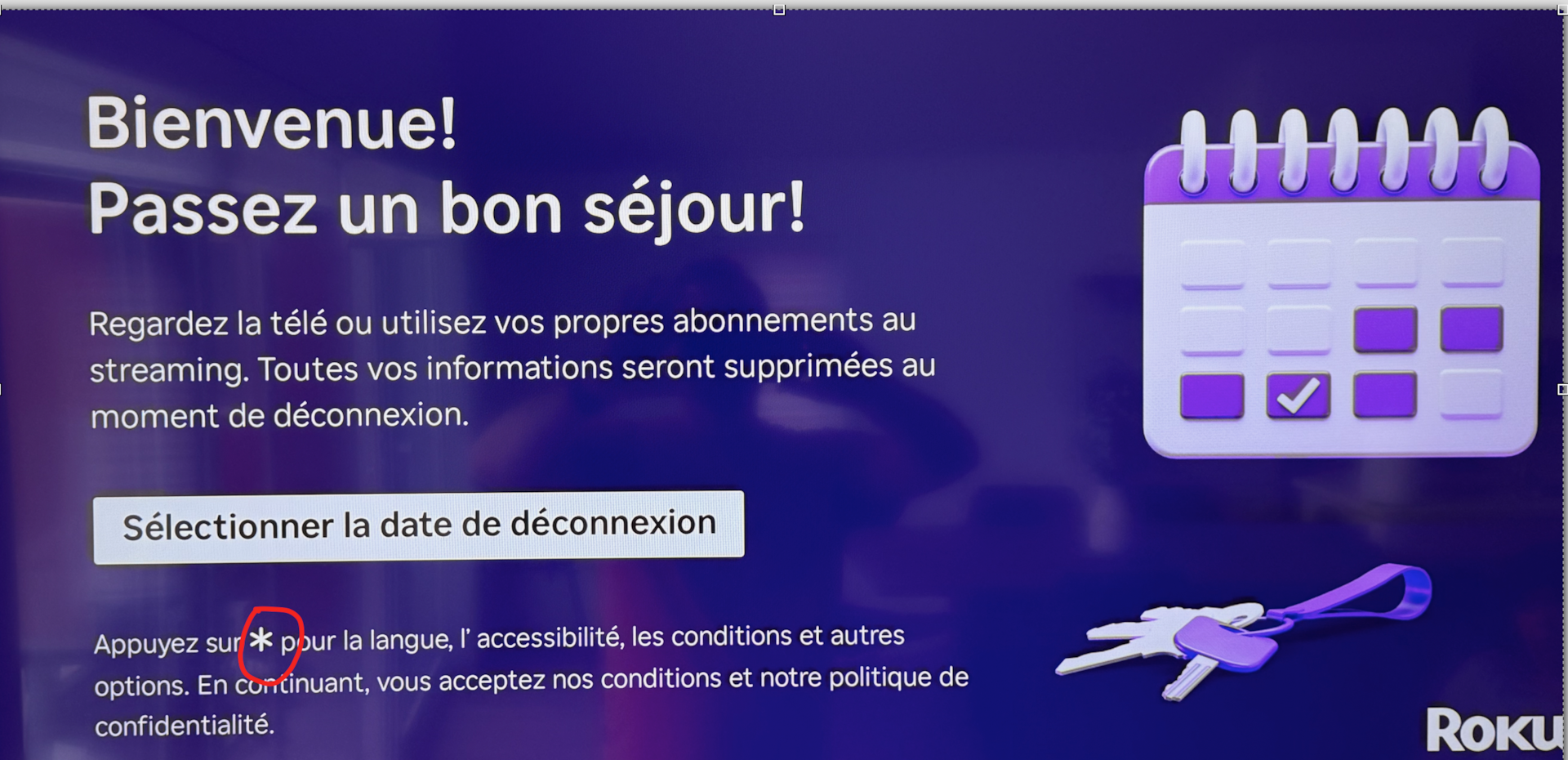
Press the star button on the home screen
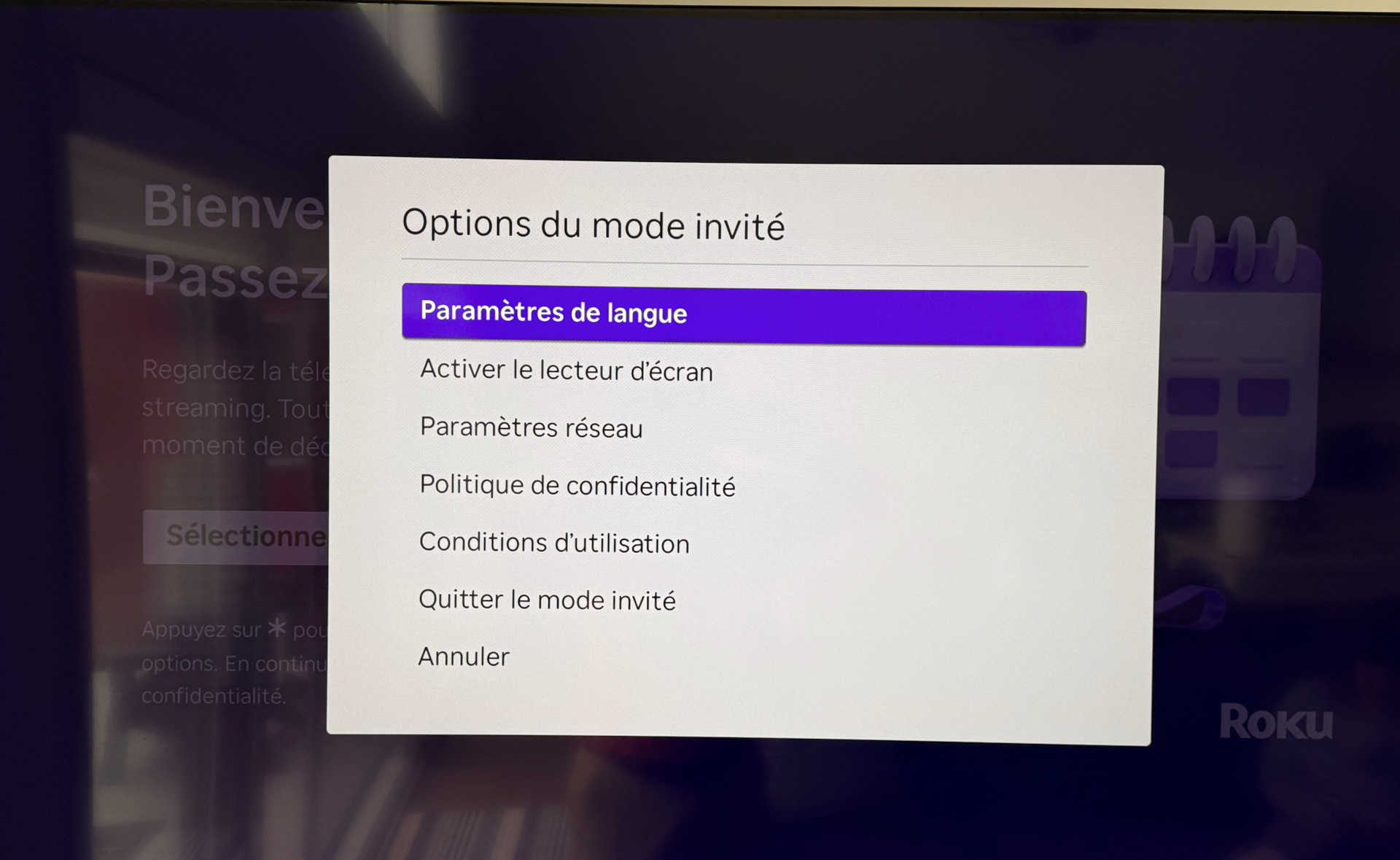
Choose the option "Paramètres de langue"
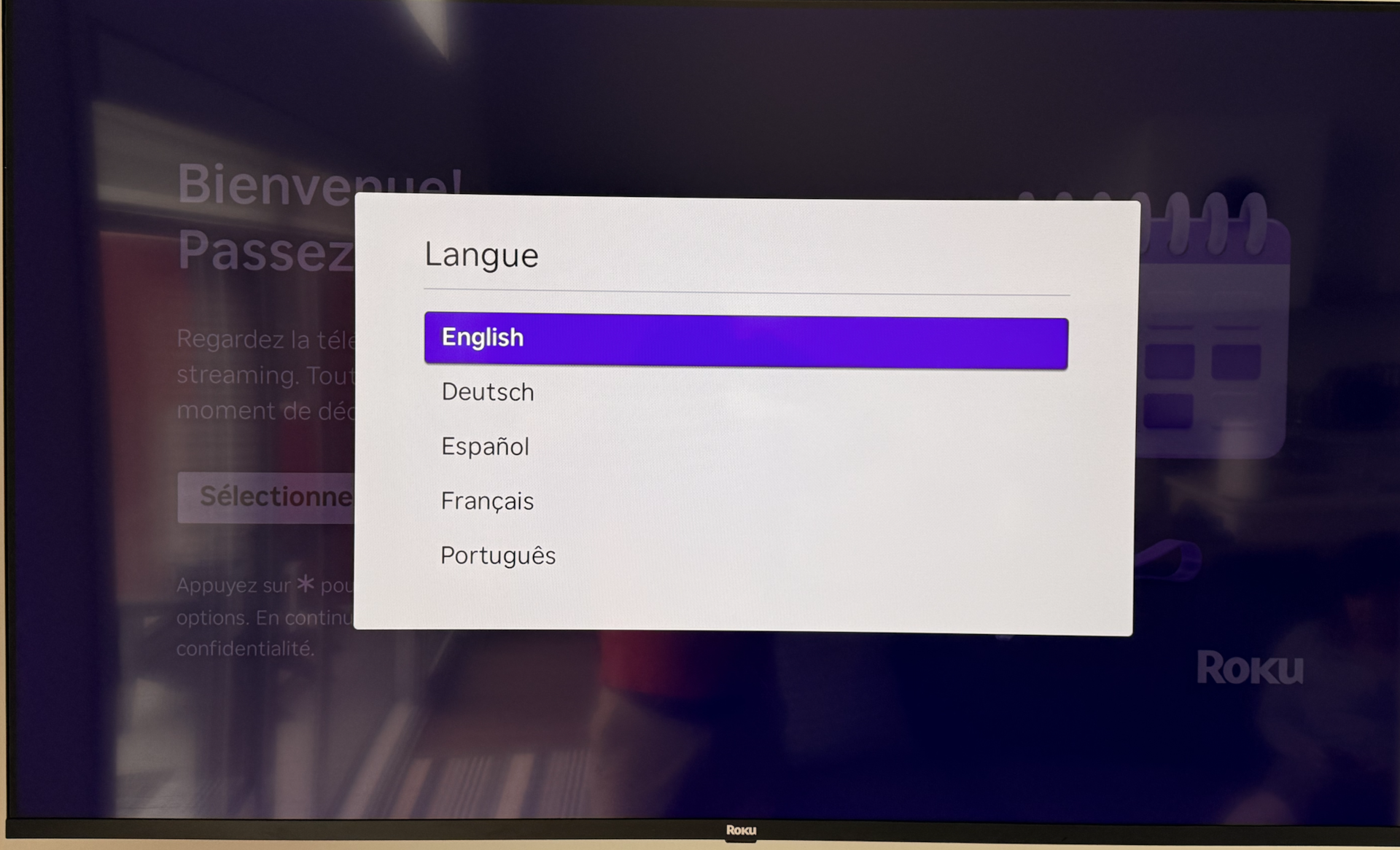
Choose English to finish the change.
🎬 How to watch Netflix, YouTube or other apps
After confirming your checkout date:
- You will be taken to the Roku home screen.
- Select the desired app.
- Sign in to your account if needed.
Basic navigation
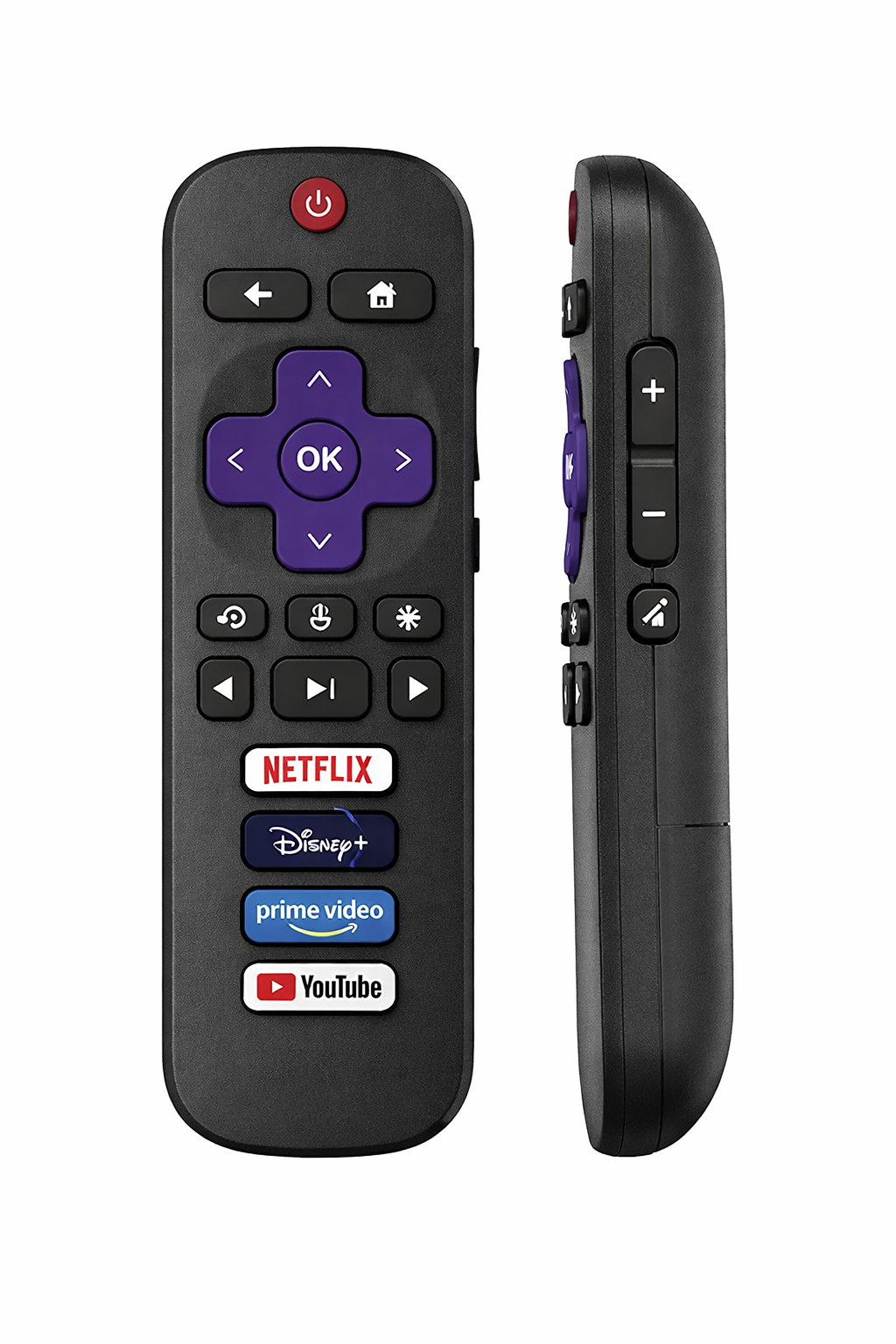
- Arrows: move the cursor
- OK: select
- 🏠 Home: return to home screen
- ⬅ Back: go back
- 🔊 Volume: buttons on the side of the remote
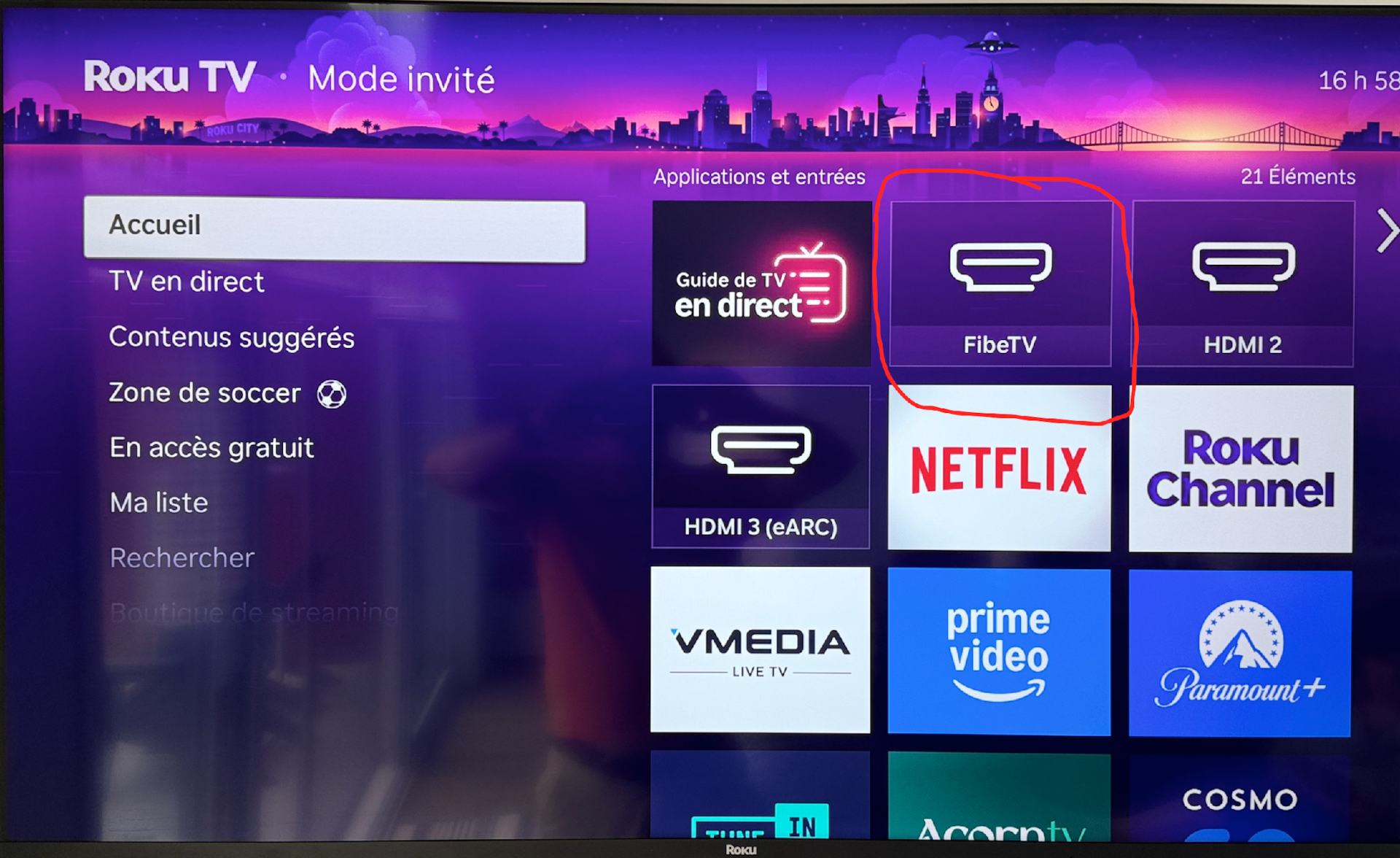
How to Watch Bell Fiber TV
If you want to watch Bell Fiber TV, usefull for the sports channels.
Choose the Option FibeTV, after that you have to change the remote to use the one of Bell.
🌐 Internet connection
The TV is already connected to the condo’s Wi-Fi.
If an app is not working:
- Press Home.
- Go to Settings → Network.
- Make sure the connection is active.
🔄 Restarting the Roku TV
If needed:
- Return to the main menu.
- Or unplug the TV for 30 seconds, then plug it back in.
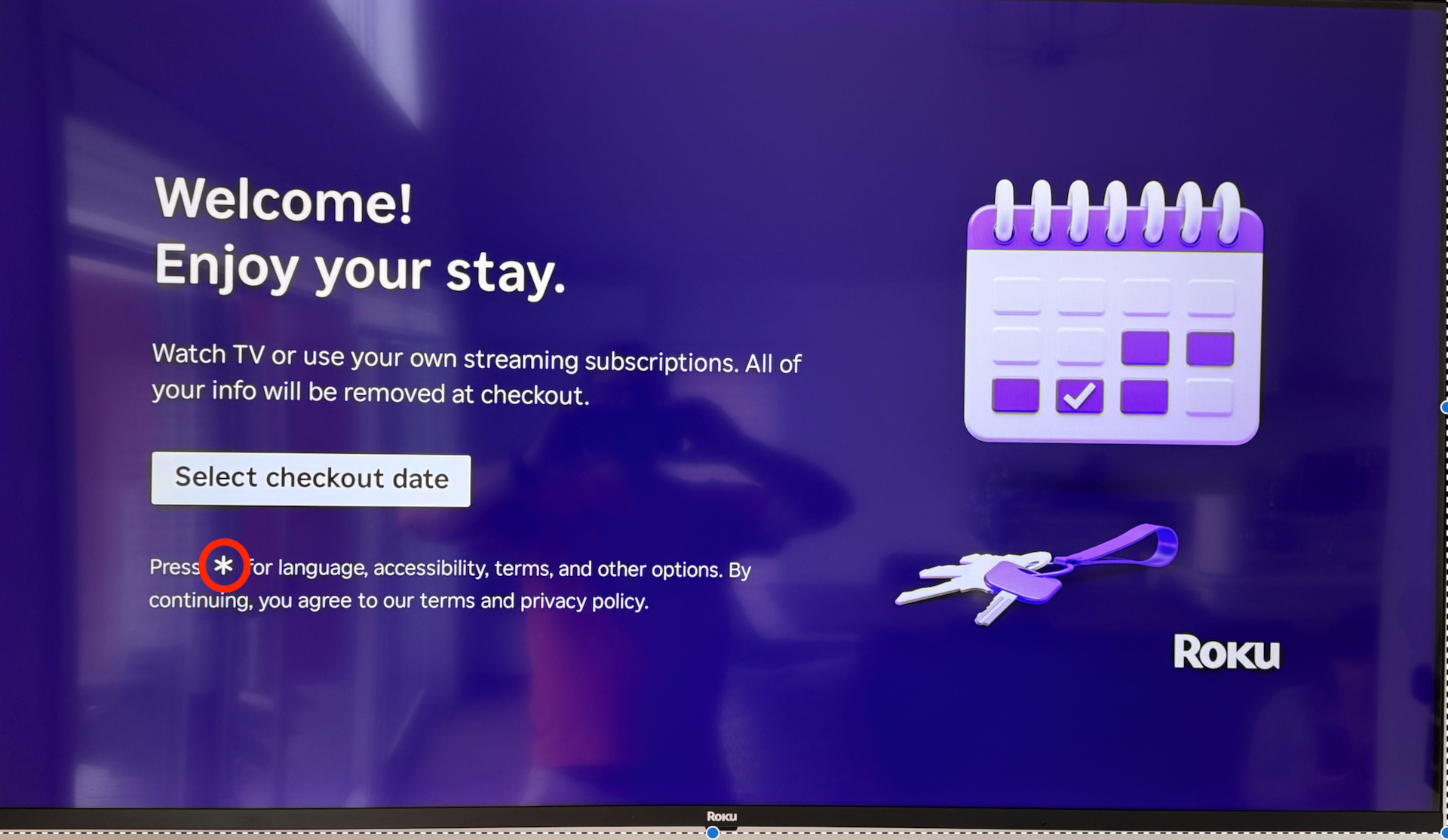
Comment changer la langue d'interface
Appuyer sur le bouton * sur la télécommande
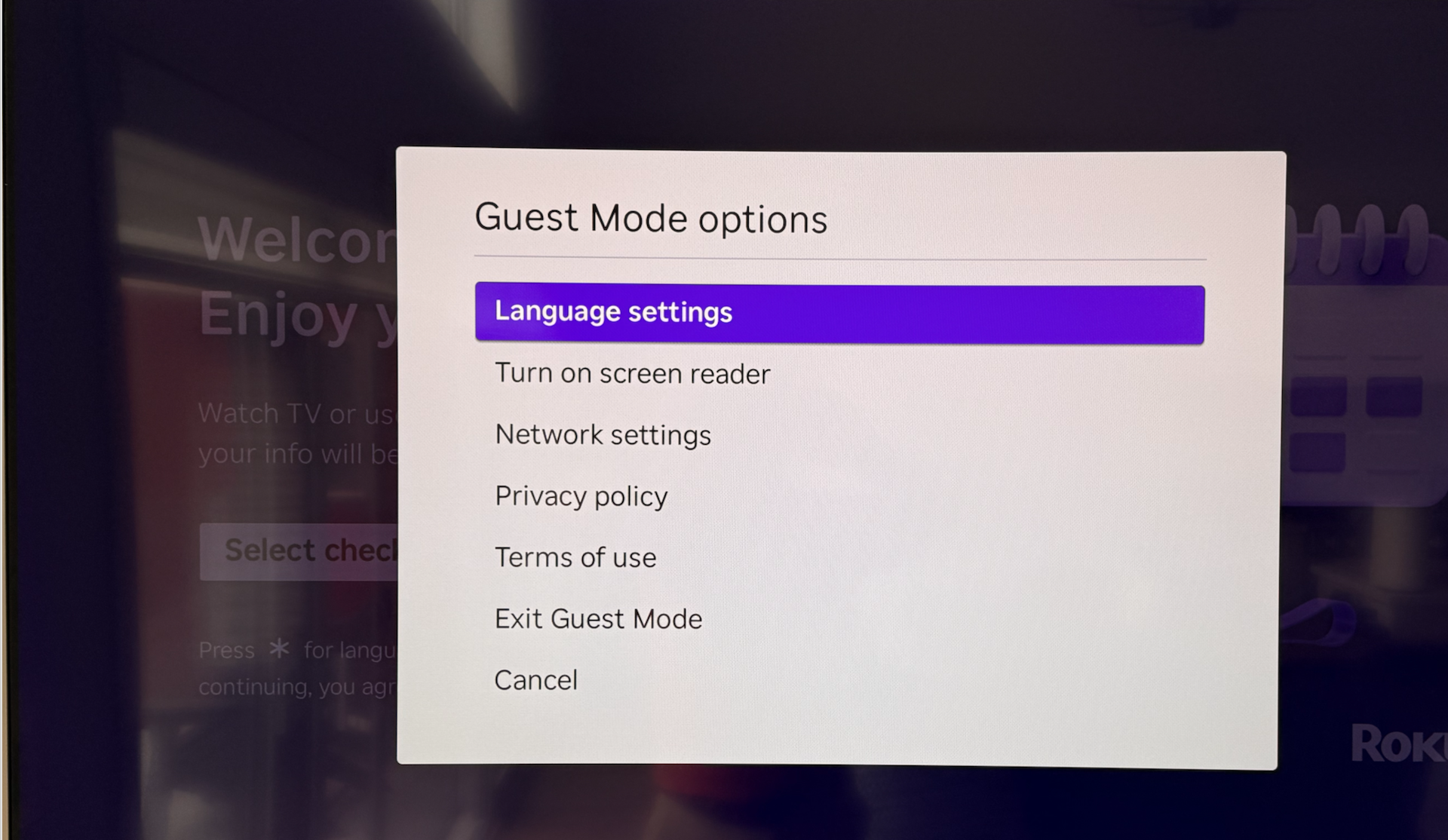
Choisir l'option "Language settings"
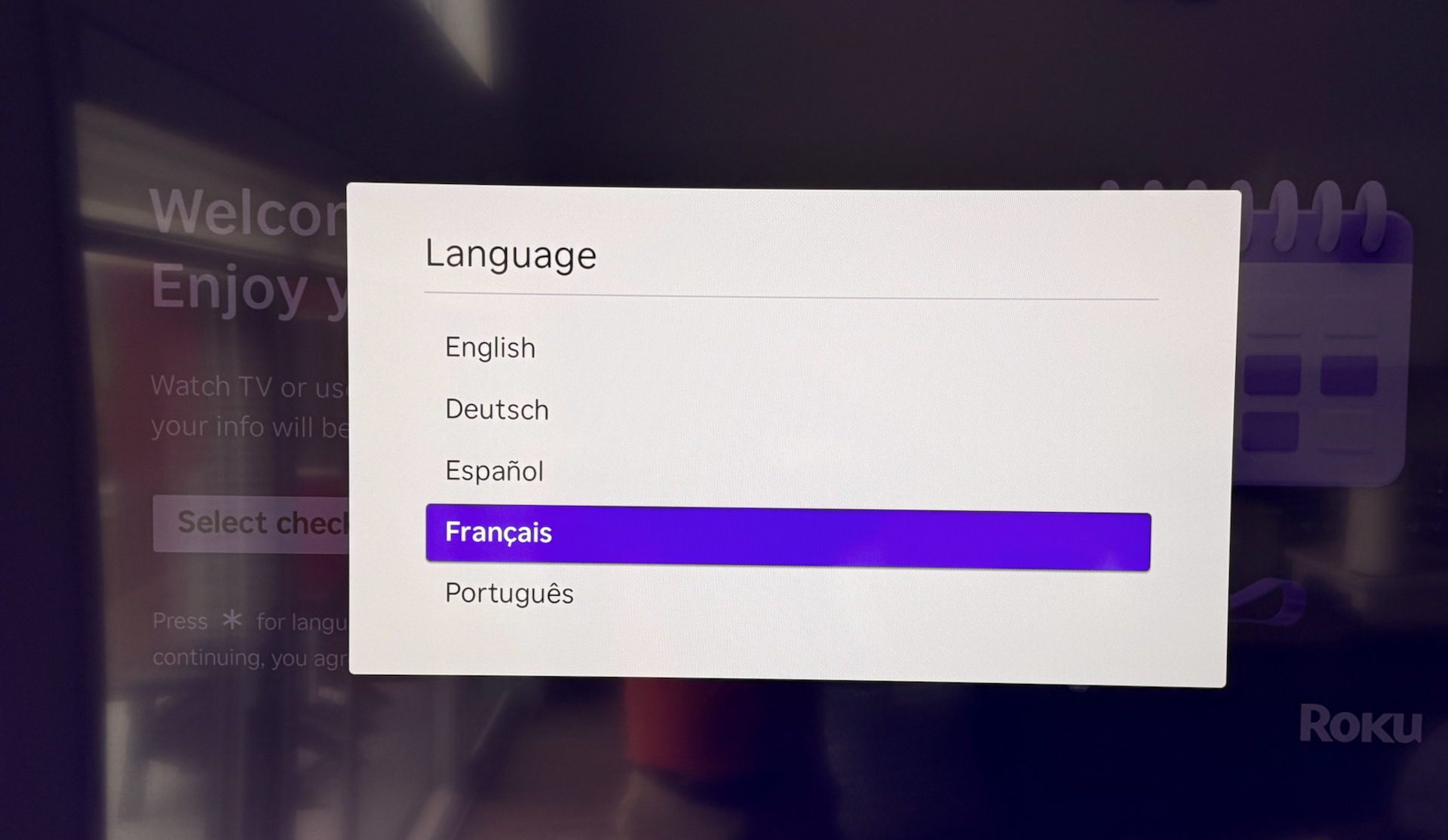
Choisir "Français" afin de finaliser le changement
How to Watch Bell Fiber TV
If you want to watch Bell Fiber TV, usefull for the sports channels.
Choose the Option FibeTV, after that you have to change the remote to use the one of Bell.